
1984 – Dave Brown Dual Joystick
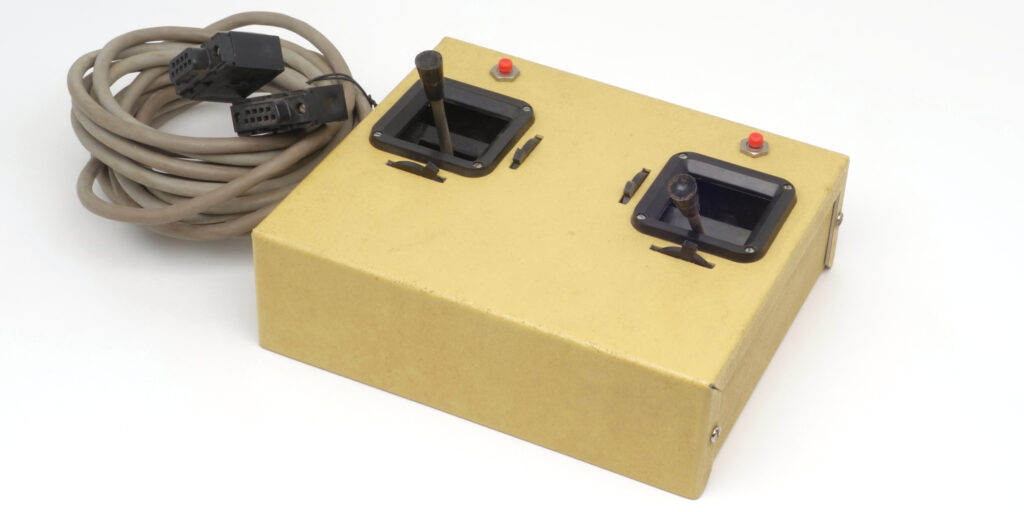
Dave Brown Dual Joystick is actually a doubled two-axis joystick that copies the appearance and design features of radio-controlled model airplane controllers from the 1980s. However, instead of being used with radio control, the joystick is a wired one, designed specifically for Dave Brown RC Flight Simulator, a flight simulator program written by model aircraft enthusiast John Kallend. This flight simulator was available on Apple II and Commodore 64 computers in the first half of 1980s, and even longer on IBM-compatible computers (boxed versions of Dave Brown R/C Simulator from 1995 are available with the same joystick model inside). Within the simulation, the joystick allows control of flight parameters, including roll, pitch, speed, and altitude, similar to how this is implemented in radio-controlled models. According to the documentation, the joystick had its own name, “Transmitter”[1]Radio Controlled Flight Simulator By John Kallend For Commodore 64. https://raw.githubusercontent.com/fiowro/mouses/main/source/OCR/dave_brown_simulator_joystick.pdf.
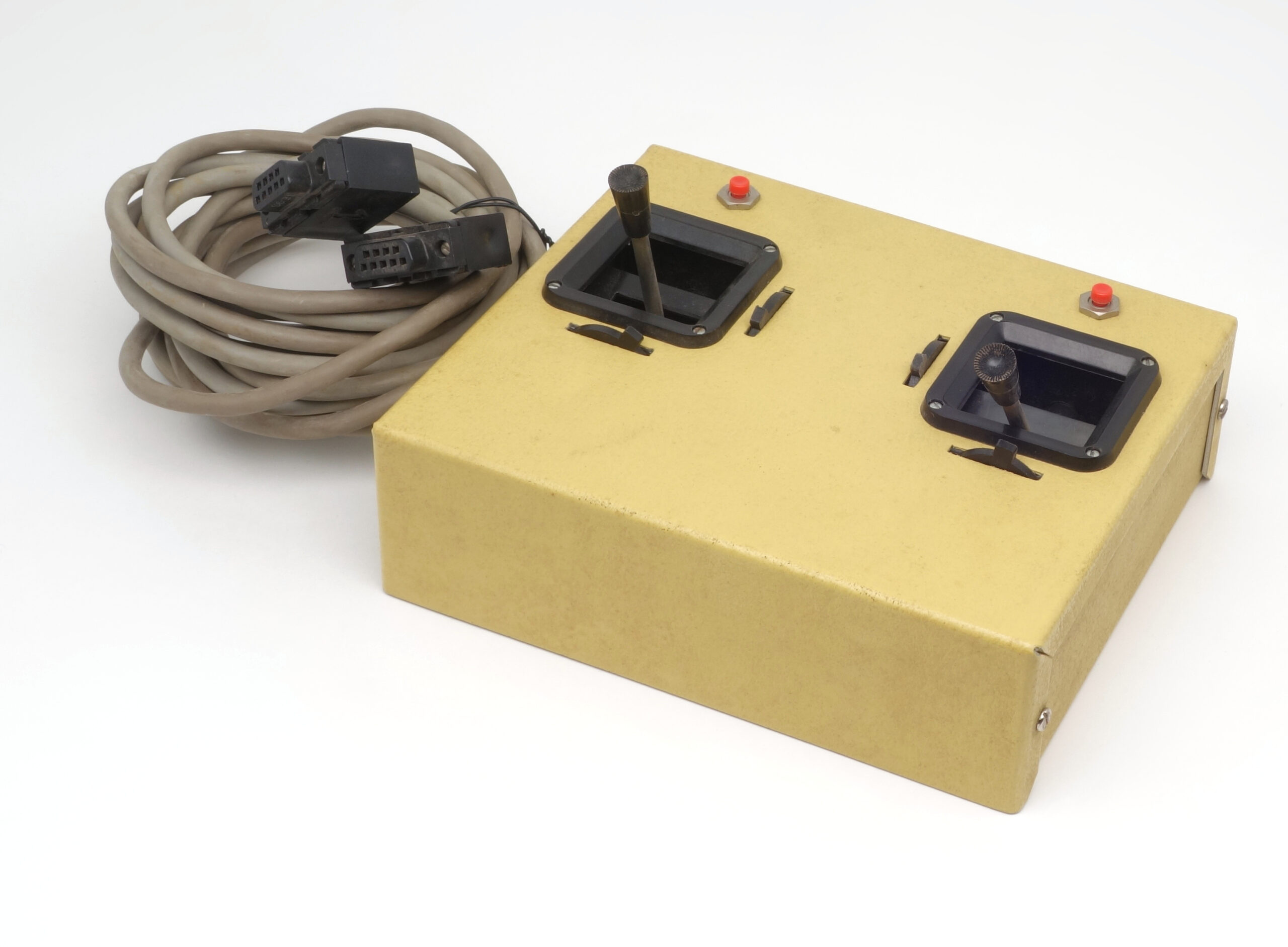
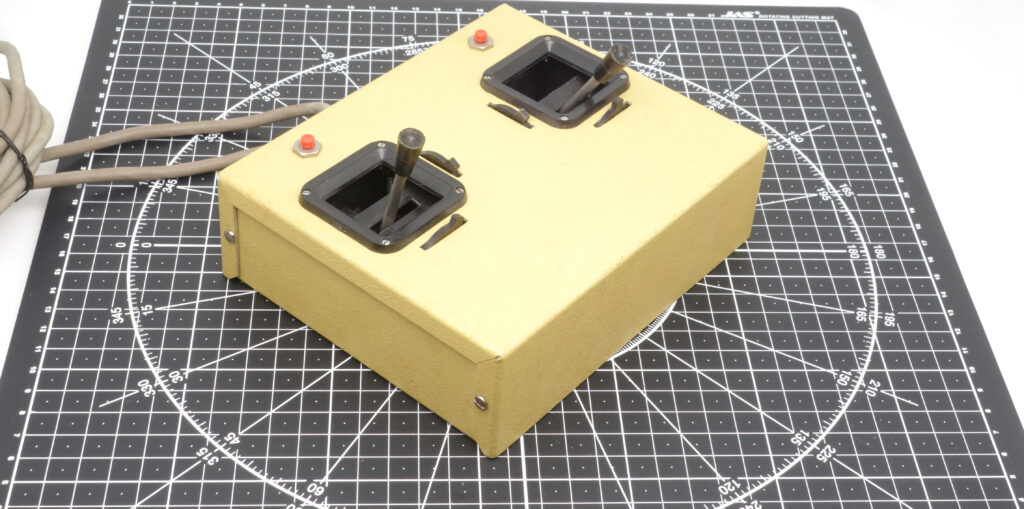
As mentioned, the device’s body mimics the appearance and layout of aircraft R/C models remote control: it is a large sheet metal box with two independent sticks. As seen in the figure below, the underside of the body is completely flat, without any elements, including feet. On the top side, there are two independent sticks (each with its own pair of trimmers for mechanically adjusting the central position along both axes), and two cut-in red tact buttons with locking latches. Another button is located on the side of the body (the one far from the user). The joystick is connected to a computer with two cables: one cable corresponds to the left joystick, the other to the right.
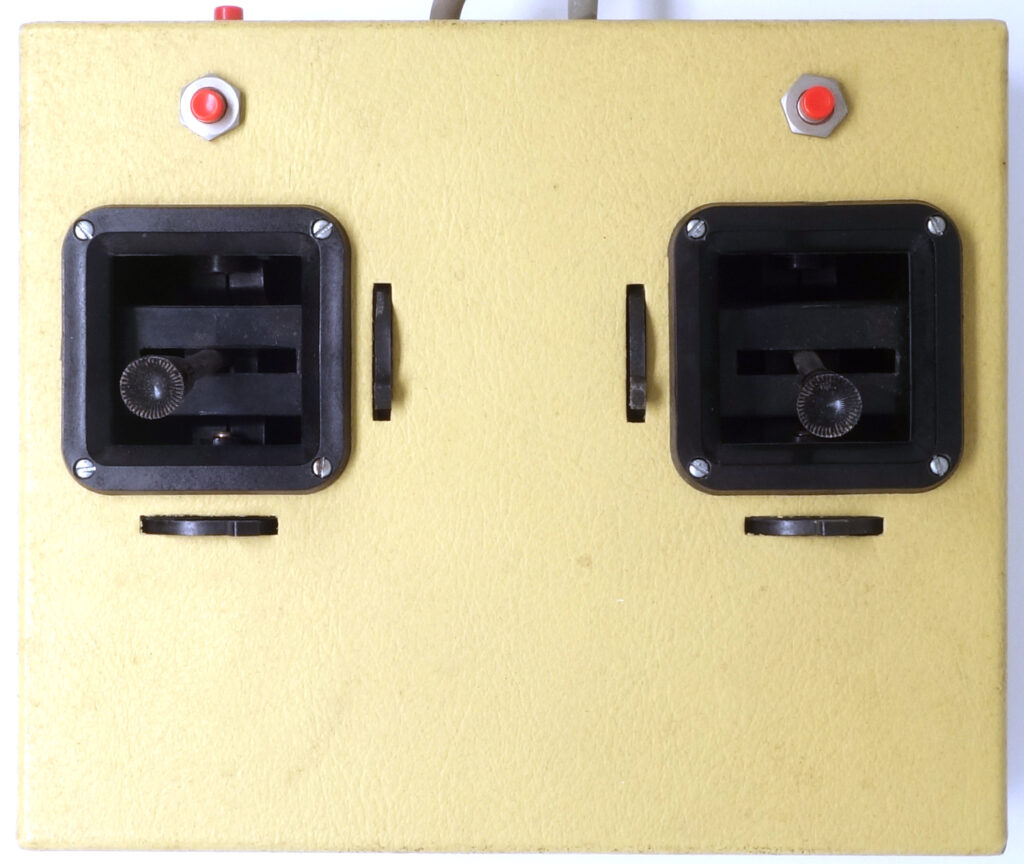
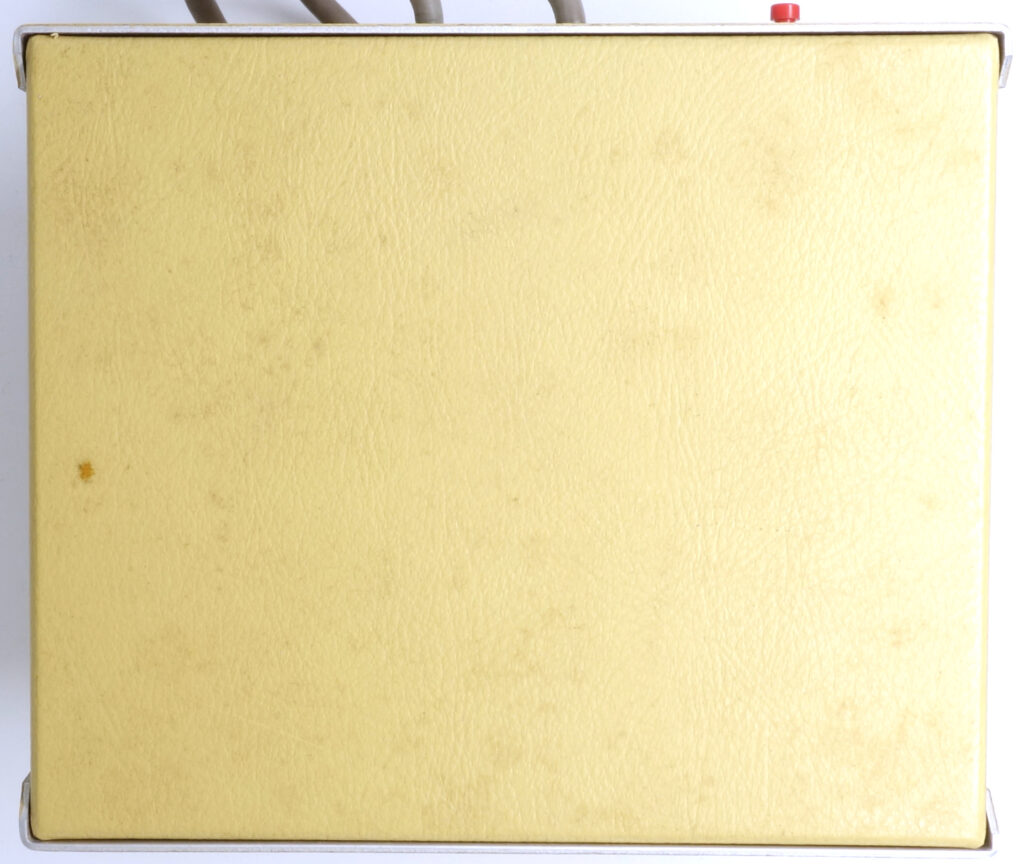
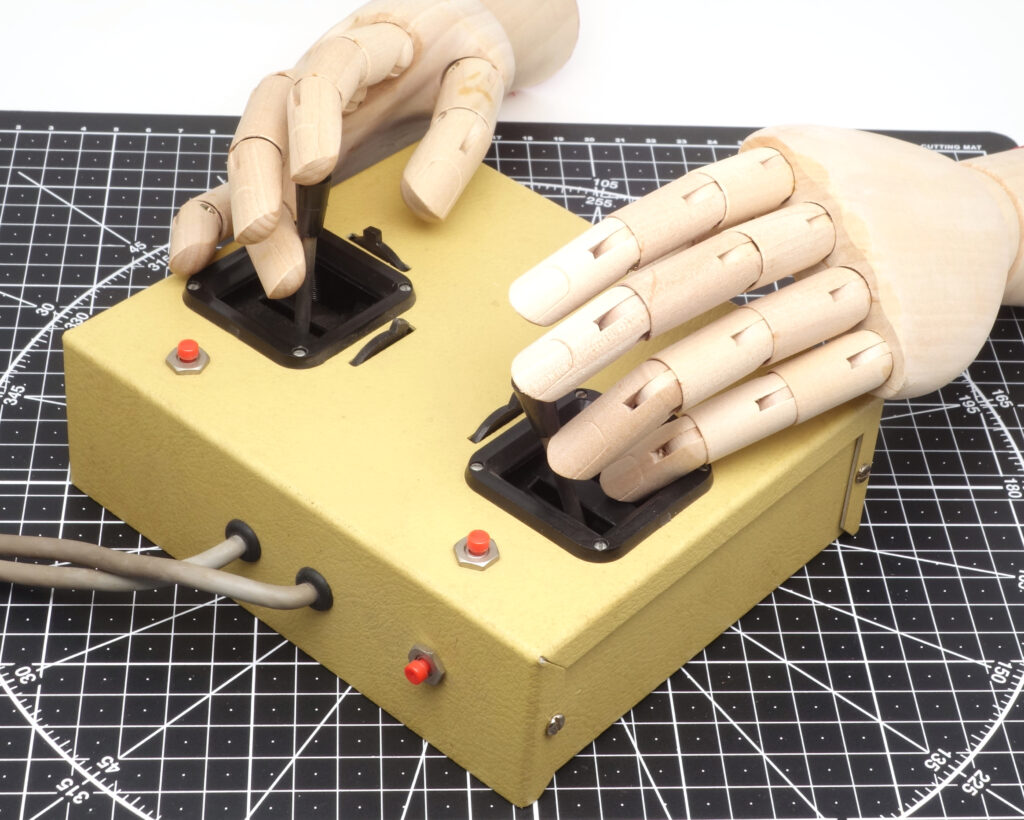
The body size and ergonomics can be assessed by looking at the following figures.
The stick and the whole electromechanical unit is a standard component: it can be found on some compact analog joysticks from other companies of the time, including the very first Joystick for Apple II, developed by Jef Raskin and later available under the A2D Company brand. Sticks are quite comfortable to move when gripped with your fingers, if the palm rests on the body, which is not the case with the miniature buttons.
Fortunately for the user, the buttons usage is not as intensive as in most computer games. Within the simulation, the user is given control over flight parameters, including roll, pitch, airspeed, and altitude. According to the documentation, the game reproduces the fundamental physics of model aircraft flight and allows for basic maneuvers such as loops and rolls, helping to develop rudder memory for controlling real models[2]Painful Fun Vintage 1980’s Dave Brown RC Flight Simulator | HobbyView https://www.youtube.com/watch?v=zqE4cHVLAhk. The device replicates the control mode most common in radio-controlled model airplanes of its time[3]Radio Controlled Flight Simulator By John Kallend For Commodore 64. https://raw.githubusercontent.com/fiowro/mouses/main/source/OCR/dave_brown_simulator_joystick.pdf. Throttle is controlled by moving the left stick forward and backward, rudder (yaw) is controlled by moving the left stick left and right, elevator (pitch) is controlled by moving the right stick forward and backward (pulling it back to raise the elevator), and aileron (roll) is controlled by moving the right stick left and right. The left button, when in pressed state, halves the sensitivity of the elevator axis, while the right button has the same effect on aileron control. The instructions do not disclose the purpose of the third button.
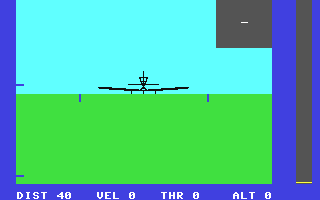
R/C Flight Simulator is designed to simulate the control of radio-controlled aircraft on the screens of 8-bit home computers such as the Apple II and Commodore 64[4]Painful Fun Vintage 1980’s Dave Brown RC Flight Simulator | HobbyView https://www.youtube.com/watch?v=zqE4cHVLAhk. As the manual explains, “the user is presented with a realistic, animated image of the model as it ‘flies’, as if taken by a TV camera located on the ground at the pilot’s feet”. The same manual goes on to explain that “this program is very complex, solving the differential equations of flight, and then generating the 3-D graphics in real time”, but “some simplification had to be made, in order to enable the program to run at reasonable speed on a microcomputer”. Naturally, the computing capabilities of 8-bit home computers brought their limitations: a first impression of its graphical features and level of detail can be obtained from a screenshot below, and a more complete overview can be found, for example, in the online version of the game[5]Play RFC64 – Radio controlled flight simulator. CommodoreGames.Net https://www.commodoregames.net/Commodore64/RCFS-64-Radio-Controlled-Flight-Simulator-28134.html. The software is also interesting because its author, John Kallend, is likely one of the oldest R/C model enthusiasts[6]Kallend J. The Whistler. Builds great… flights quckly… and is different https://www.rcgroups.com/forums/showatt.php?attachmentid=8106951. In any case, the blog he maintained at https://rcgroups.com after retiring as a professor of the Metalurgical and Materials Engineering Department at the Illinois Institute of Technology was active until June 2025, and the author’s comment under A nickname modestly stated “Flying R/C since 1964”[7]kallend’s blog. Do It Yourself Afterburner and other stuff – RC Groups https://www.rcgroups.com/forums/member.php?u=42040.
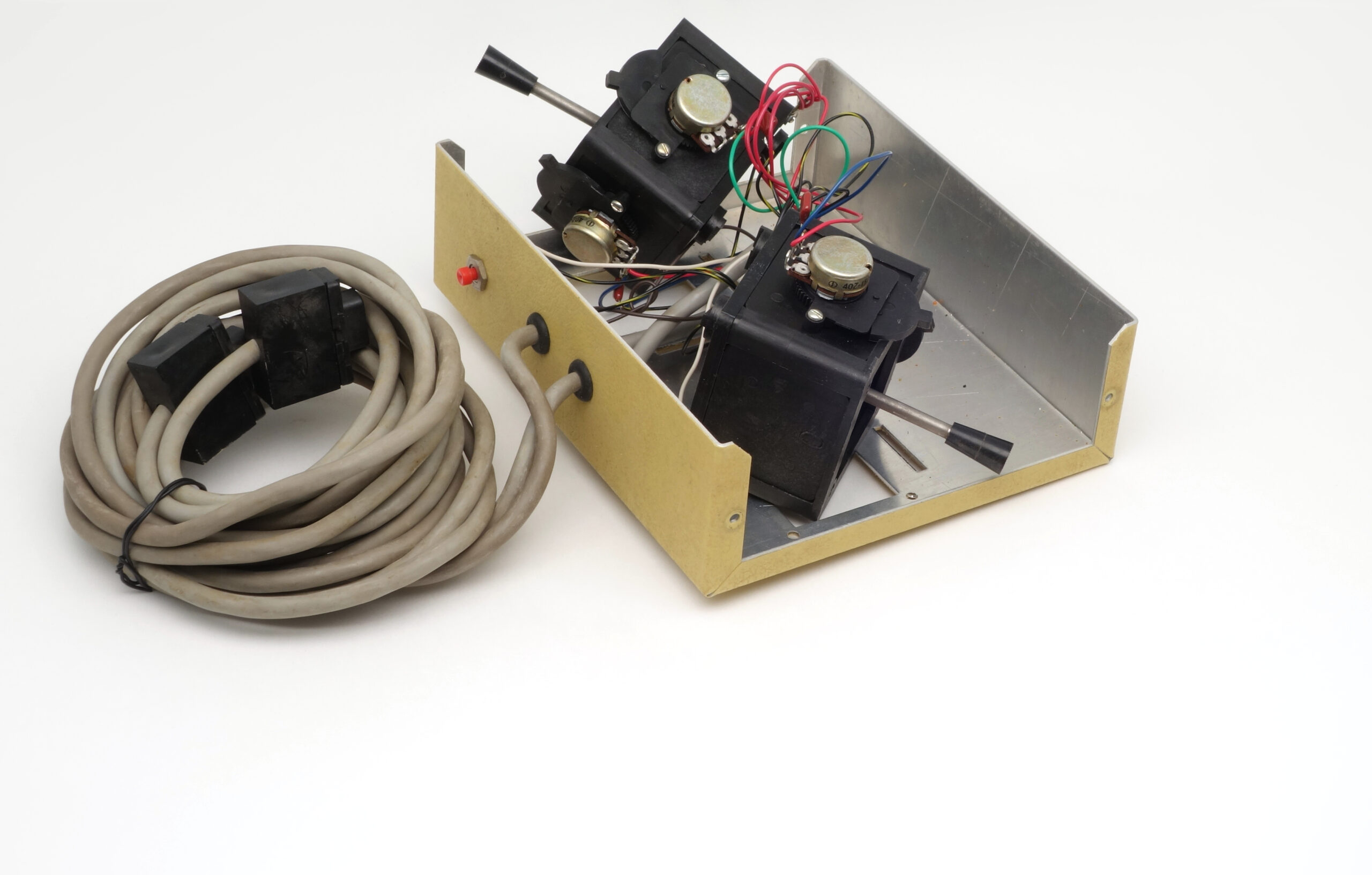
The internal design of Dave Brown Dual Joystick is shown below. The sticks are mounted on metal gimbals, providing smooth control along two axes. Each joystick is connected to a potentiometer, converting the deflection of the stick into a change in resistance. The analog port of the Apple II and Commodore 64[8]Radio Controlled Flight Simulator By John Kallend For Commodore 64. https://raw.githubusercontent.com/fiowro/mouses/main/source/OCR/dave_brown_simulator_joystick.pdf measured the charge time of the RC circuit, allowing the software to determine the absolute position of the joystick.
References
| ↑1, ↑3, ↑8 | Radio Controlled Flight Simulator By John Kallend For Commodore 64. https://raw.githubusercontent.com/fiowro/mouses/main/source/OCR/dave_brown_simulator_joystick.pdf |
|---|---|
| ↑2, ↑4 | Painful Fun Vintage 1980’s Dave Brown RC Flight Simulator | HobbyView https://www.youtube.com/watch?v=zqE4cHVLAhk |
| ↑5 | Play RFC64 – Radio controlled flight simulator. CommodoreGames.Net https://www.commodoregames.net/Commodore64/RCFS-64-Radio-Controlled-Flight-Simulator-28134.html |
| ↑6 | Kallend J. The Whistler. Builds great… flights quckly… and is different https://www.rcgroups.com/forums/showatt.php?attachmentid=8106951 |
| ↑7 | kallend’s blog. Do It Yourself Afterburner and other stuff – RC Groups https://www.rcgroups.com/forums/member.php?u=42040 |