
1981 – Xerox Star Mechanical Mouse
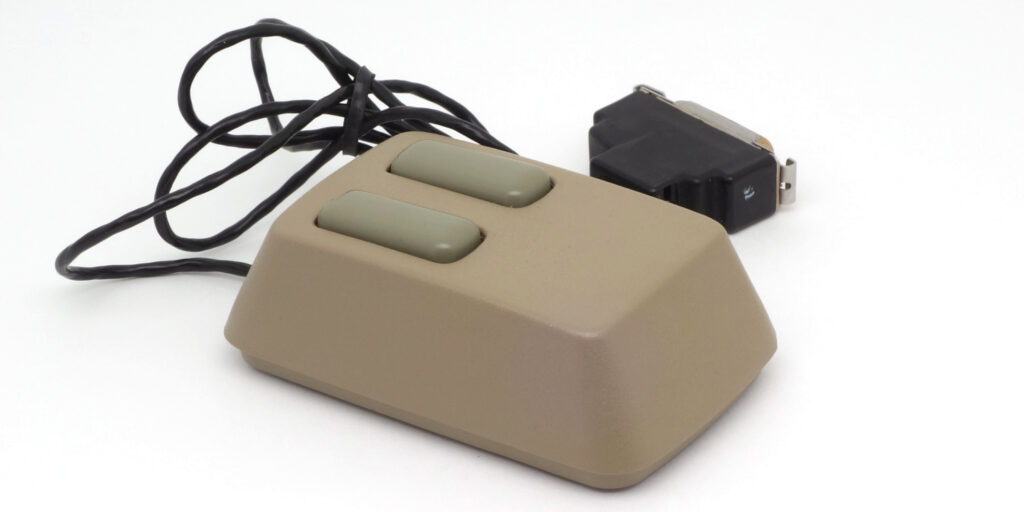
In April 1981, Xerox Corporation announced the Xerox Star 8010 Information System, considered the first office computer, as well as the first window-based graphical shell with icons, folders, and two-button mouse. The mouse was available in two variants: optical mouse, invented by Xerox specially for those computers, and mechanical mouse. Mechanical mouse featuring an older ball-based Xerox Alto mouse design from Jack Hawley, co-author of the original 1973 Xerox patent for mouse with two inclined wheels[1]Transducer for a display-oriented pointing device https://patents.google.com/patent/US3892963A/en[2]Xerox Star: Wikipedia https://en.wikipedia.org/wiki/Xerox_Star. Both mice shared the same topcase – a further evolutionary development of the Xerox Alto Mouse visual style (the first mass-produced mouse in the history of computers). Most probably, mechanical mouse was mainly used during the initial period of Xerox Star presence when the optical mice were not yet produced in enough quantities: Howley’s design itself wasn’t too reliable according to the quotes given at oldmouse.com[3]Xerox Mice. oldmouse.com https://web.archive.org/web/20210418000634/http://oldmouse.com/mouse/xerox/alto.shtml: they picked up dirt, quickly became gummed, and no longer controlled the cursor, being actually the main reason to invent the optical alternative. Nevertheless, Xerox documentation continued mentioning mechanical mice as an opportunity until the Star 8010 workstations were discontinued in 1985, and their successor, Xerox 6085, while exclusively featuring an optical mouse with a different jack, still included an additional mechanical mouse pad for some unclear reason[4]Xerox 6085 PCS Service Manual. October 1988, p. 133 https://www.bitsavers.org/pdf/xerox/6085/service/700P05710_6085_PCS_Service_Manual_Oct88.pdf.
Exterior
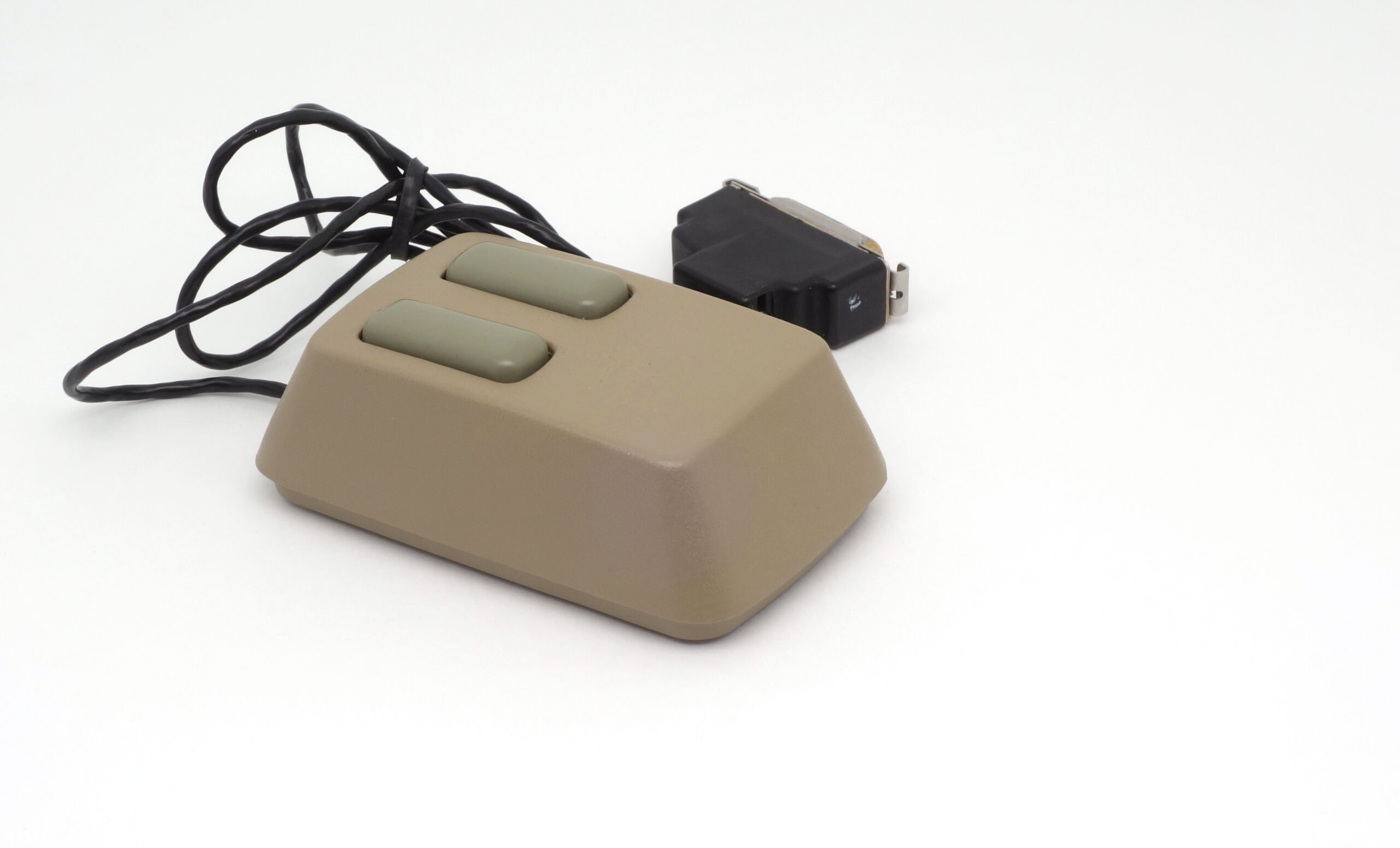
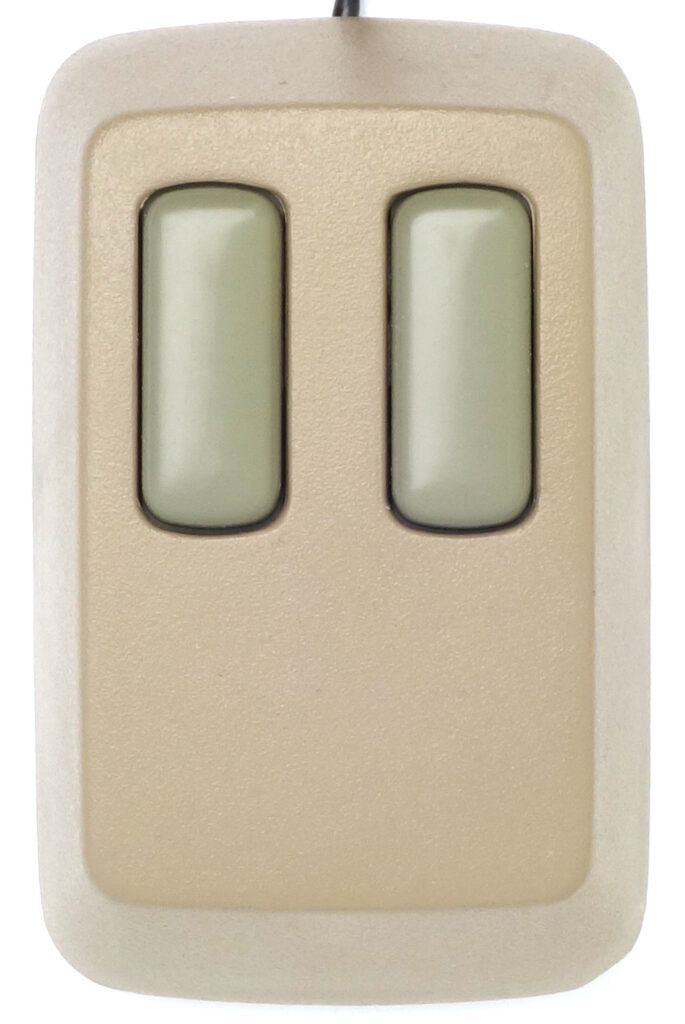
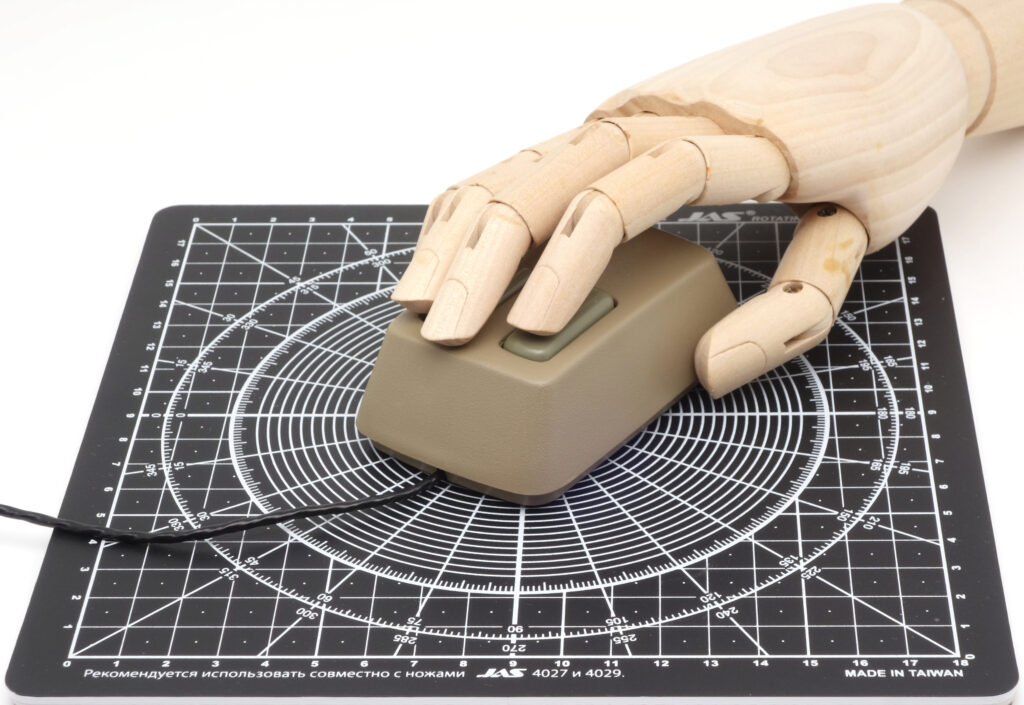
The mouse preserves continuity with the original Alto’s mouse rectangular shape in more elegant manner. The upper part made of beige plastic is still derived from a parallelepiped. But it widens toward the bottom more, it’s front and back sides are convex and noticeably inclined, and vertical edges are rounded, which substantially reduces the original association with a “box”. On the upper side of the case there are two large, oblong buttons made of darker plastic, called “SELECT” and “ADJUST” (used to make and adjust a selection)[5]Linden T., Harslem E. (editors). Office Systems Technology. A Look into the World of the Xerox 8000 Series Products: Workstations, Services, Ethernet, and Software Development, Xerox, November 1982. … Continue reading. Buttons generally follow the shape and size of Alto mouse buttons but are slightly less rounded; also left and right buttons are placed closer to each other, as there were no plan to add third button in between. The central button of Xerox Alto was removed to make the mouse less confusing, but it’s highly likely that part of the initial confusion was caused by early Xerox Alto documentation, which had color-coded three buttons, using phrases like “red mouse click” and “yellow mouse click”[6]Hawley Mark II X063X “Jellybeans” Mouse – oldmouse.com https://web.archive.org/web/20200703233553/http://www.oldmouse.com/mouse/hawley/X063Xjellybeans.shtml, while actually all buttons were made of gray plastic. It’s worth to notice also, that three-button mouse had returned for a later successor, Xerox 6085, so in 1985 designers had to move buttons further from each other to reserve space for a third one.
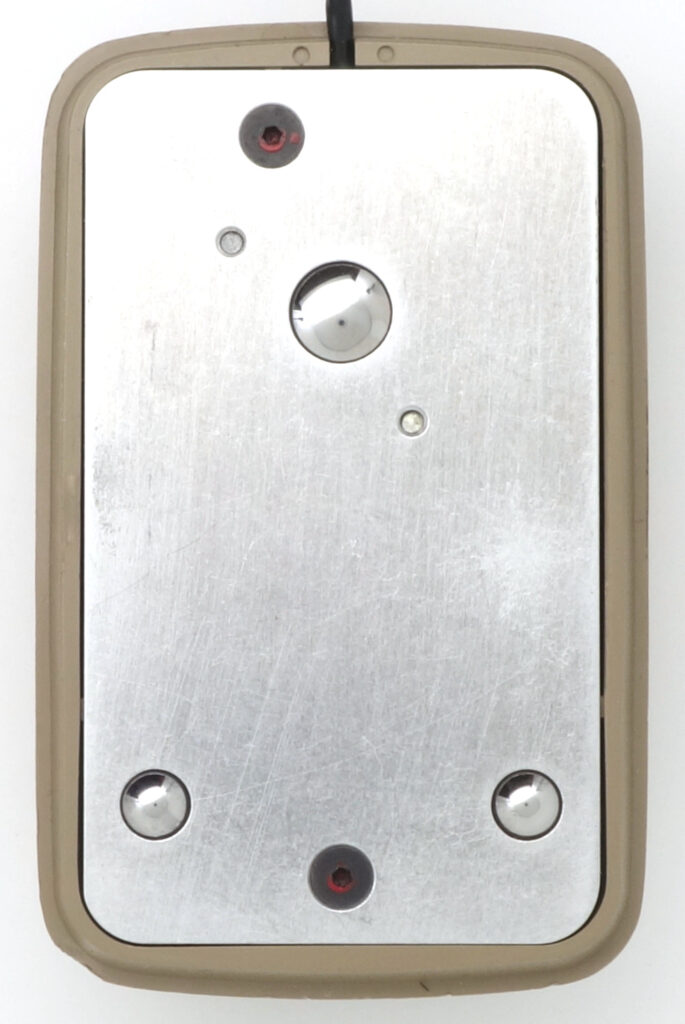
Bottom side is entirely made of metal. Rotation is registered by a smooth steel ball in the center, while two smaller balls act as feet to minimize friction. The mouse has no removable ring that allows user to remove the ball to remove collected debris, and so complete disassembly is necessary for cleaning.
Size
The Xerox Star mechanical mouse body contained the same internals as the Alto mouse did, so the new shape with inclined sides forced designers to make the overall dimensions of the case slightly larger in its bottom part. Theoretically, the optical Xerox Star mouse variant could have been smaller and lower in size, but this didn’t happen, as thery share the same topcase to make as close user experience as only possible. As it is, Xerox Star mouse is rather small than medium, and visually it looks even smaller.

Ergonomics
The user experience of Xerox Star Mouse is certainly less affected by the “rectangularity” of the case as it was with Alto mouse. Convex oblong buttons, located within the reach of the fingers, are still good, and the inclined side of the case closest to the user even provides some comfort for palm – at least, more than a lot of mice of 1980s did (of course, lower body would make it even more comfortable). Also, the small body width and its noticeable height allow carrying the mouse to another part of the mouse pad by holding it with fingers on the sides. This could be handy when the mechanical unit get’s stuck for a while because of some piece of collected derbi – but once again, not very much, taking into account that device is heavy enough due to its metal parts.
Connectivity
Like all Xerox mice, the Xerox Star Mechanical Mouse has a quadrature interface. It also has the same connector and pinout as Xerox Alto, DA-15 in this version[7]10-Pin IDC header in Lyon mouse – bitsavers.org https://www.bitsavers.org/pdf/xerox/mouse/lyon_optical/Lyon_Mouse_Notes.txt.
Internal design
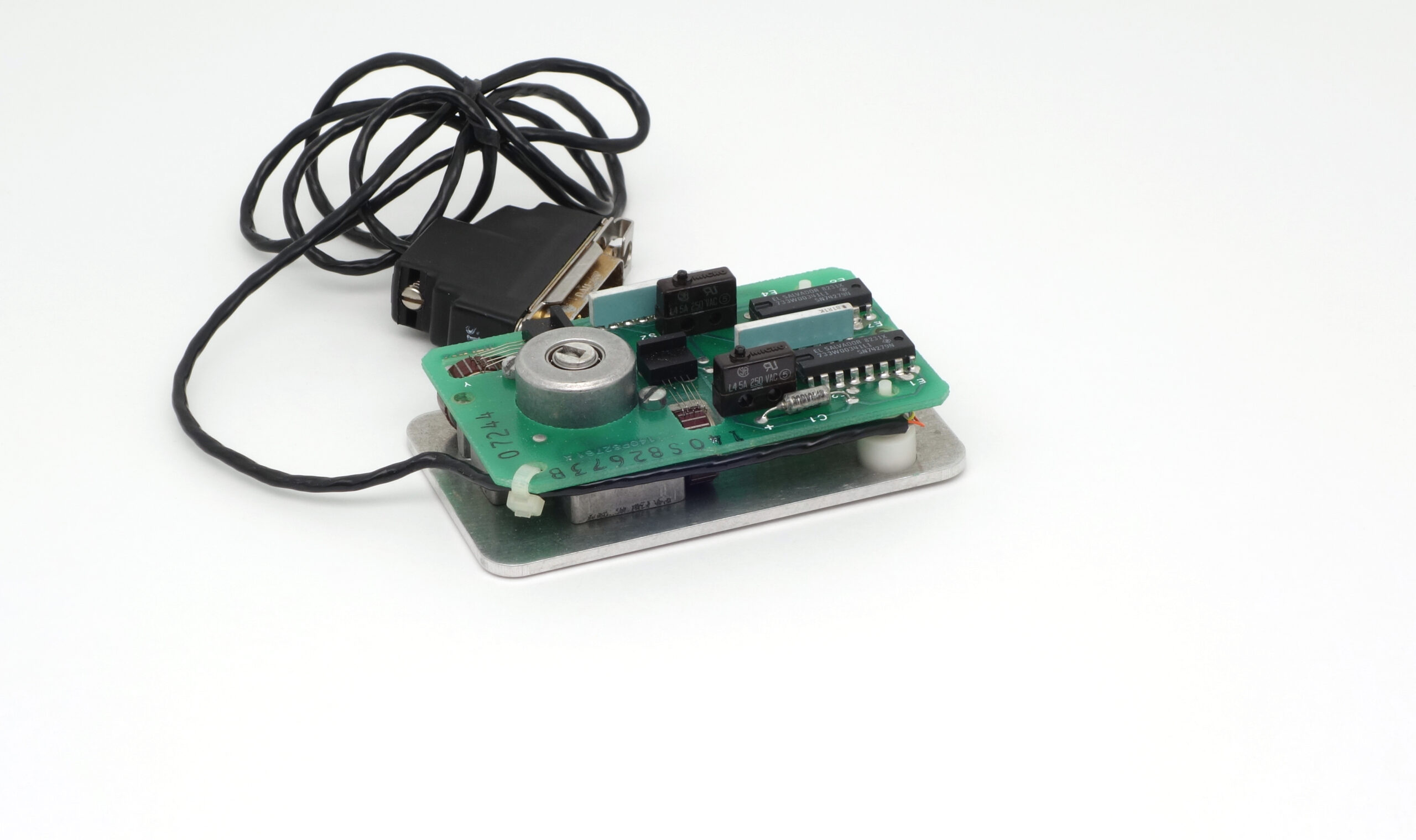
Mouse internals are shown below. The removable solid protection of the ball is worthy of mention, because it adds an additional disassembly step to remove garbage. This mouse, according to Jack Hawley’s ealy design, uses mechanical encoders based on a metal contact drum (instead of the disk more common in subsequent models) and four contact wires of different length, which increase the encoder resolution compared to the simpler two-wire mechanical encoder scheme.
References
| ↑1 | Transducer for a display-oriented pointing device https://patents.google.com/patent/US3892963A/en |
|---|---|
| ↑2 | Xerox Star: Wikipedia https://en.wikipedia.org/wiki/Xerox_Star |
| ↑3 | Xerox Mice. oldmouse.com https://web.archive.org/web/20210418000634/http://oldmouse.com/mouse/xerox/alto.shtml |
| ↑4 | Xerox 6085 PCS Service Manual. October 1988, p. 133 https://www.bitsavers.org/pdf/xerox/6085/service/700P05710_6085_PCS_Service_Manual_Oct88.pdf |
| ↑5 | Linden T., Harslem E. (editors). Office Systems Technology. A Look into the World of the Xerox 8000 Series Products: Workstations, Services, Ethernet, and Software Development, Xerox, November 1982. https://www.bitsavers.org/pdf/xerox/sdd/OSD-R8203_Xerox_Office_Systems_Technology_Nov82.pdf |
| ↑6 | Hawley Mark II X063X “Jellybeans” Mouse – oldmouse.com https://web.archive.org/web/20200703233553/http://www.oldmouse.com/mouse/hawley/X063Xjellybeans.shtml |
| ↑7 | 10-Pin IDC header in Lyon mouse – bitsavers.org https://www.bitsavers.org/pdf/xerox/mouse/lyon_optical/Lyon_Mouse_Notes.txt |