
1999 – Microsoft IntelliMouse Explorer mouse
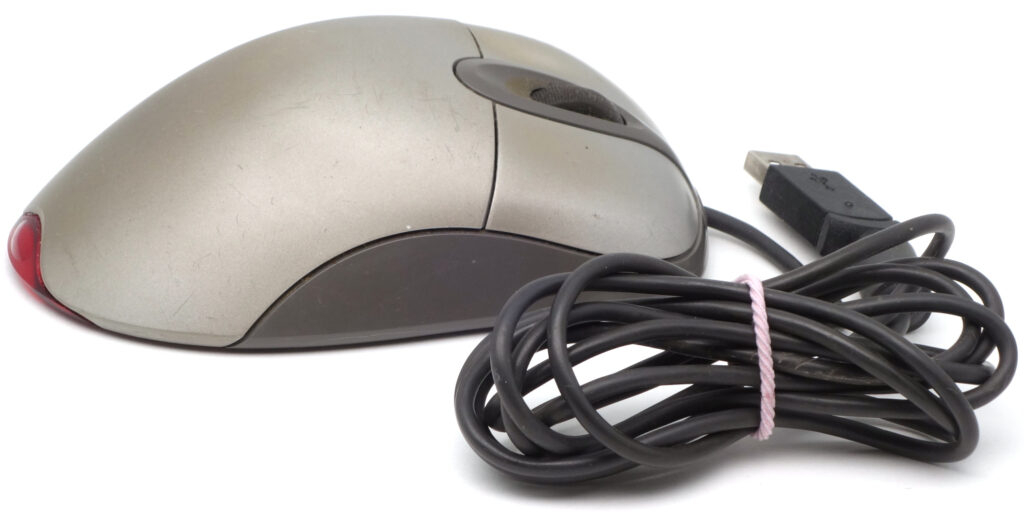
The IntelliMouse Explorer 1.0 model, released in 1999, was an important milestone in the Microsoft IntelliMouse family, a line of mice and trackballs started in 1995 with a scroll wheel equipped mouse. The IntelliMouse Explorer featured a pair of extra buttons (first time in Microsoft cursor controllers) and a clickable wheel, but it’s most important feature was the IntelliEye optical tracking technology, which revolutionized optical mice by eliminating the need for a dedicated mouse pad. While packing this device to explore a number of experimental features, Microsoft clearly realized their potential, advertising it as the “most radical computer mouse technology and design advancement”[1]IntelliMouse – Wikipedia. https://en.wikipedia.org/wiki/IntelliMouse. Actually, the claim isn’t completely groundless, given that the IntelliMouse Explorer is considered to be the root from which all modern optical mice had originated. It is worth to mention that, at the same time, Microsoft released a sibling device – the IntelliMouse with IntelliEye mouse, which featured practically same hardware internals in a classic 1995 body[2]Microsoft IntelliMouse with IntelliEye // PC Player Computerspiele, 11/1999, p. 250. https://archive.org/details/PC-Player-German-Magazine-1999-11/page/n137/mode/2up[3]Microsoft Intellimouse 1.0 with Intellieye USB (1999) \ VOGONS https://www.vogons.org/viewtopic.php?t=78620.
Exterior
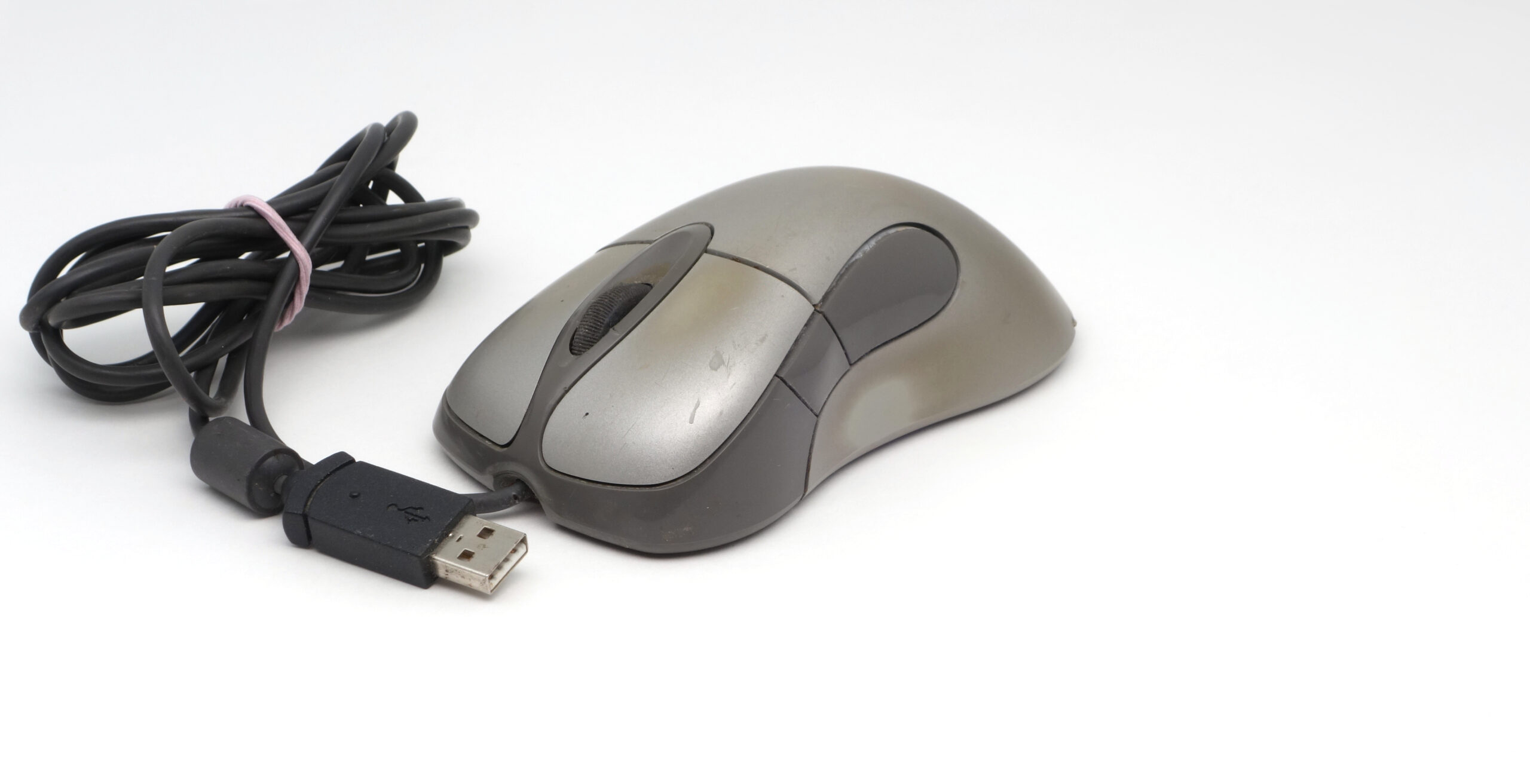
The IntelliMouse Explorer features a silver case with gray teardrop-shaped inserts, giving it a “futuristic” look by 1990s standards. As figure clearly shows, silver finish turned out to be not very durable and was gone rather quickly in places of heavy wear. Apparently, this flaw was a first try effect, rather than a planned behavior. At least, later models with a similar finish look better even in case of heavily used samples.
On the top are two main buttons (like with all family models, they are large, occupying a third of the mouse’s length), designed to be pressed with the index and middle fingers. Between them there is a rubberized scroll wheel, which, when pressed, functions as the middle button. A pair of additional buttons are located on the left side of the body, on one of the gray plastic inserts, and are designed to be pressed with the thumb.
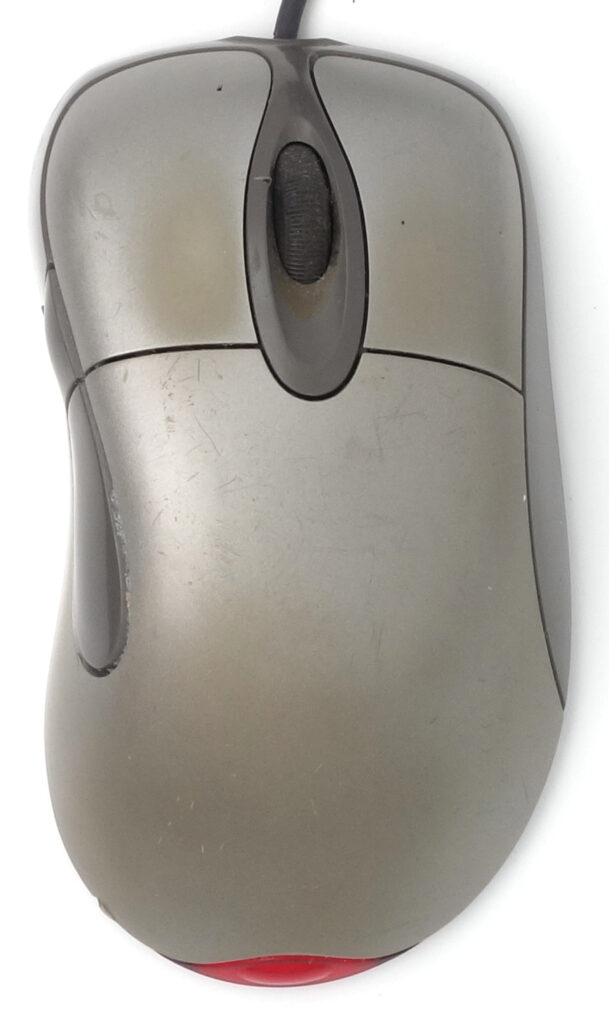
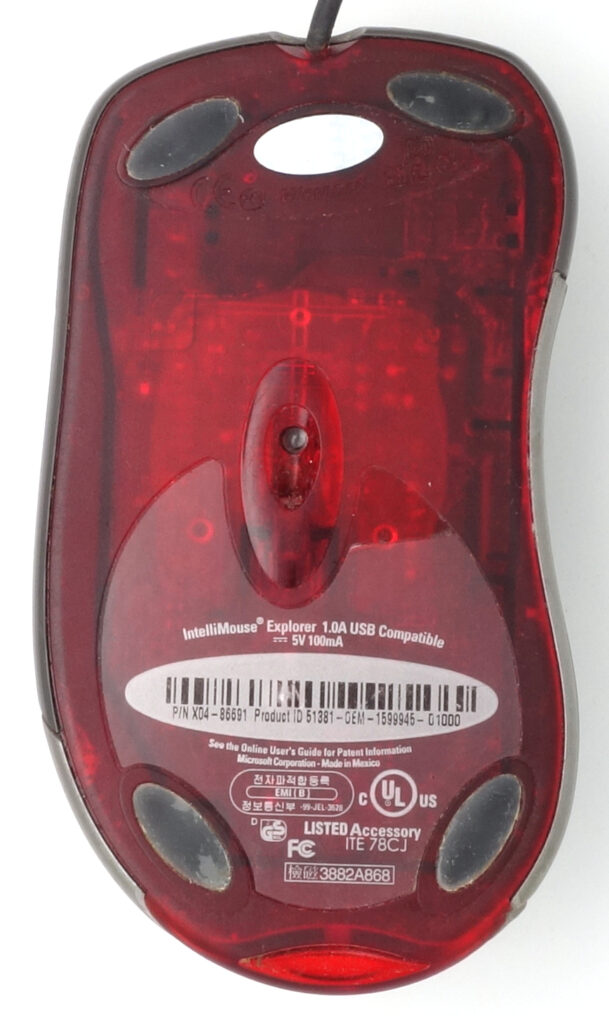
The underside of the mouse is made of transparent red plastic, which extends onto the user-facing edge of the body as another teardrop-shaped insert. As the mouse moves, LED illuminates the working surface, making a red glow at the bottom, most noticeable through this insert, which acts as a kind of tail light. The underside of the body features oval low-friction pads that facilitate gliding across the working surface, and a translucent label with the mouse’s technical data.
Size and ergonomics
As can be seen in figure below, the mouse is quite large: its body is designed for a medium or large-sized
hand[4]Tessler F. Microsoft IntelliMouse Explorer – Macworld. Jan 31, 2000 https://www.macworld.com/article/158316/intellimouse.html.
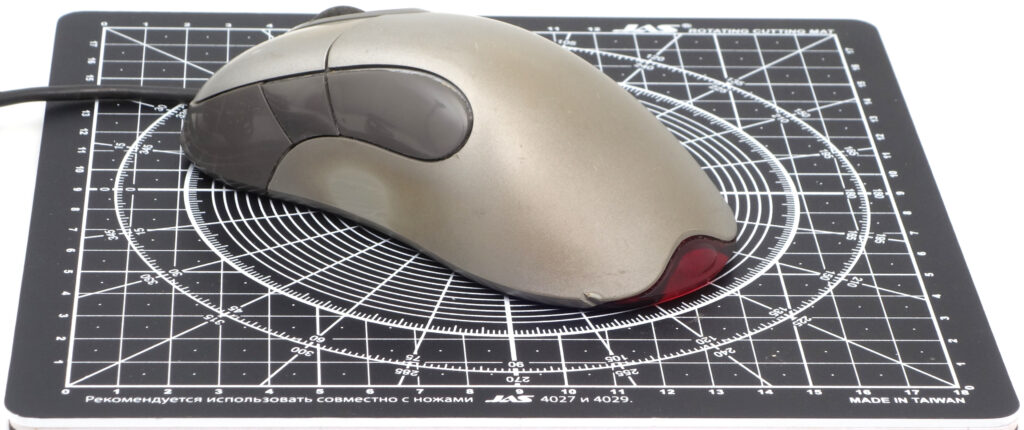
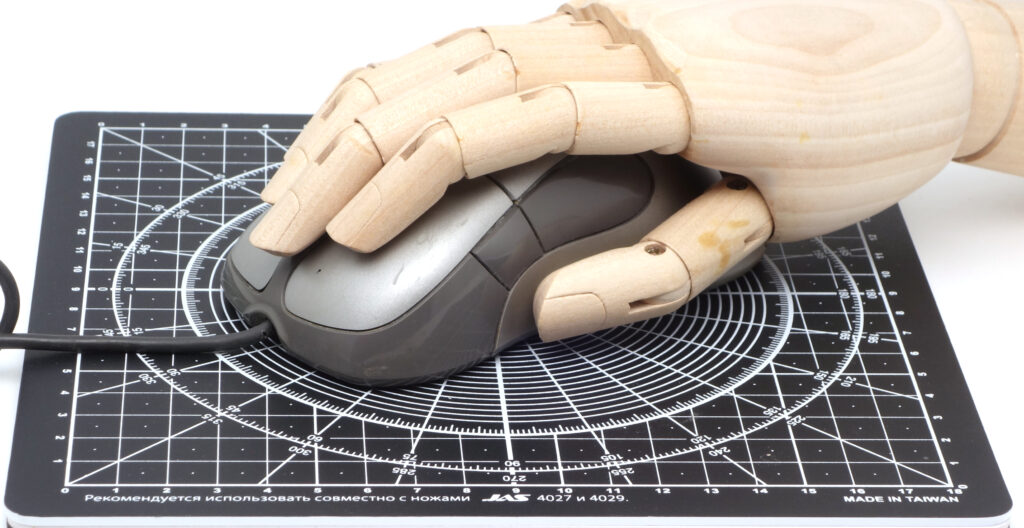
Taking into account the highly asymmetry of the mouse body, and the lack of the left-handed version, the device is designed exclusively for right-handers. However, from a right-handed perspective, considerable effort was put into creating a comfortable shape (a strong focus on ergonomics is a trend common to the entire IntelliMouse family). The curved shape of the case allows the user to comfortably lean on it with the palm 4 and press the buttons with a fairly natural position of the hand. The review[5]Microsoft IntelliMouse with IntelliEye // PC Player Computerspiele, 11/1999, p. 250. https://archive.org/details/PC-Player-German-Magazine-1999-11/page/n137/mode/2up characterizes ergonomics of the mouse as excellent, and mentions as minor issues that the device really only fits comfortably in rather large hands, and that one of side buttons is hard to reach. As can be seen in figure that shows a model of a woman’s hand over a mouse, the device can’t be considered extremely big, and the problem of reaching is obviously related to the button closest to the user.
Starting from this mouse, the limitation of not working on glass or any highly reflective materials came into play, but in reality most reviewers were completely satisfied with the with the versatility of IntellyEye technology regarding working surfaces[6]Tessler F. Microsoft IntelliMouse Explorer – Macworld. Jan 31, 2000 https://www.macworld.com/article/158316/intellimouse.html. At the same time gamers were noticing the lack of precision the mouse provided in genres dependent on quick user’s reaction, characterizing it as a great device for office use and graphics not recommended for high dynamic games[7]MS IntelliMouse With IntelliEye review. Eurogamer.net, 13 January 2000 https://www.eurogamer.net/intellieye.
Connectivity
IntelliMouse Explorer was the first Microsoft mouse that adopted the USB interface. Connecting the mouse to the PS/2 port was also possible with an included adapter, but the COM port connectivity was absent (also for the first time in the family).
Internal design
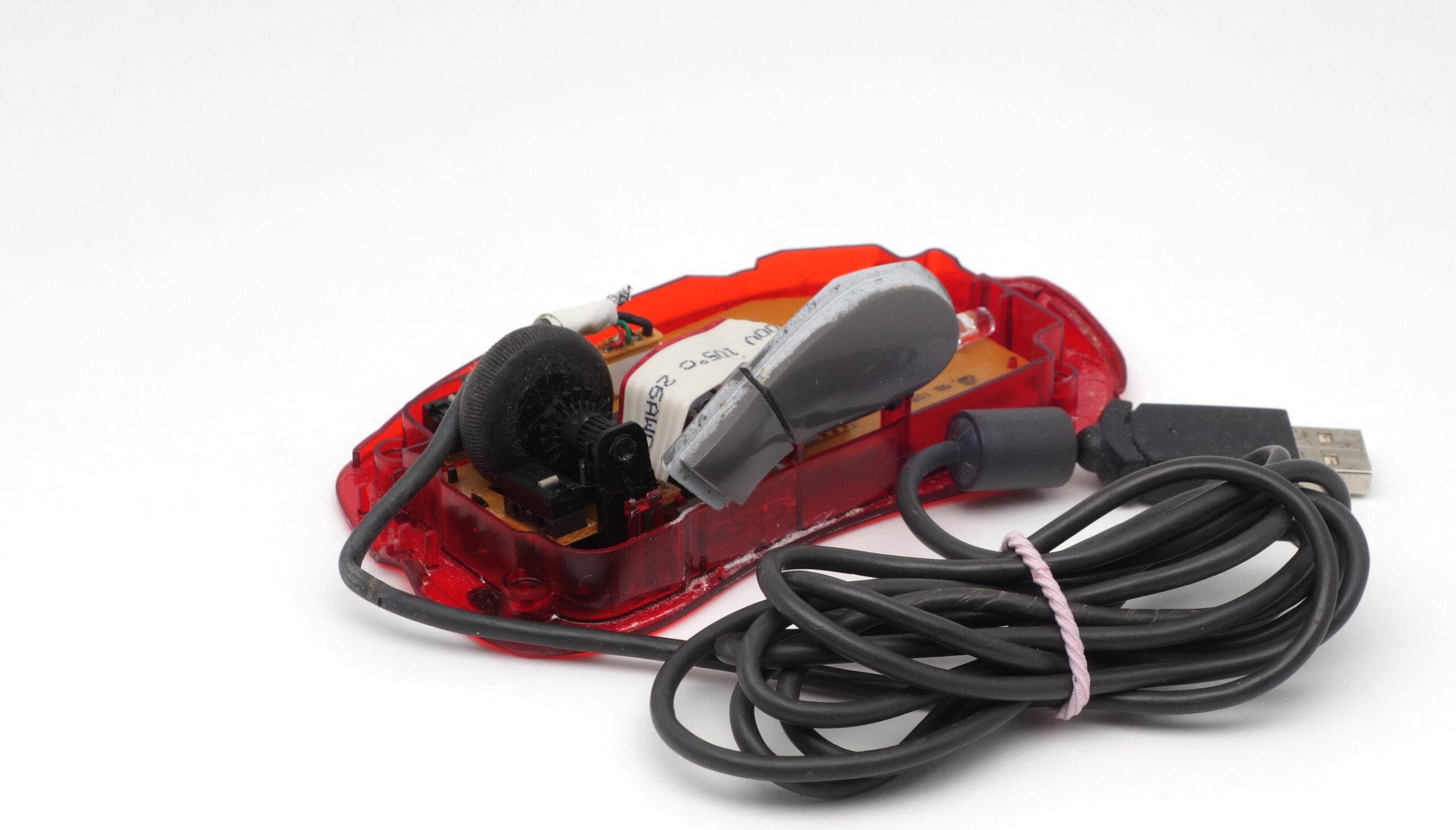
The internals of the Microsoft IntelliMouse Explorer mouse are shown below, revealing a high-integrated solution doing both optical tracking and digital signal processing. From the hardware point of view, the IntellyEye optical platform is very similar to one used in handheld scanners, just with a very small field of view and a very high refresh rate (the 16 MIPS processor was analyzing 1500 tiny frames per second in IntelliMouse Explorer 1.0, and was upgraded to a 4 times higher frame rate in subsequent Microsoft mice versions for smoother and more reactive mousing). The IntelliEye CMOS sensor resolution was about 400 DPI[8]ESR – ESReality MouseScore 2007. 24 December 2006 https://www.esreality.com/post/1265679/esreality-mousescore-2007/.
References
| ↑1 | IntelliMouse – Wikipedia. https://en.wikipedia.org/wiki/IntelliMouse |
|---|---|
| ↑2, ↑5 | Microsoft IntelliMouse with IntelliEye // PC Player Computerspiele, 11/1999, p. 250. https://archive.org/details/PC-Player-German-Magazine-1999-11/page/n137/mode/2up |
| ↑3 | Microsoft Intellimouse 1.0 with Intellieye USB (1999) \ VOGONS https://www.vogons.org/viewtopic.php?t=78620 |
| ↑4, ↑6 | Tessler F. Microsoft IntelliMouse Explorer – Macworld. Jan 31, 2000 https://www.macworld.com/article/158316/intellimouse.html |
| ↑7 | MS IntelliMouse With IntelliEye review. Eurogamer.net, 13 January 2000 https://www.eurogamer.net/intellieye |
| ↑8 | ESR – ESReality MouseScore 2007. 24 December 2006 https://www.esreality.com/post/1265679/esreality-mousescore-2007/ |